
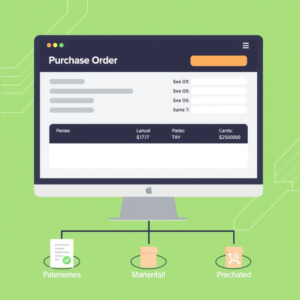
In today’s digital age, efficient and streamlined procurement processes are essential for the success of any business. This is especially pertinent for small businesses that need to keep overheads low while ensuring that they have the necessary resources to operate effectively. A Purchase Order (PO) system can significantly enhance your procurement efficiency, enabling you to create and manage orders with ease.
This guide will walk you through the essential steps needed to set up your first PO system, ensuring you leverage the full potential of electronic purchase order systems and tailored software solutions designed for small businesses.
Understanding the Basics of a Purchase Order System
Before diving into the setup process, it is crucial to grasp what a purchase order system encompasses. Essentially, it is a method of formalising the purchase of goods and services between a buyer and a supplier. By utilising a PO system, you can track orders, monitor spending, and manage your supplier relationships efficiently.
Modern PO systems often involve cloud-based purchase order software that allows for seamless accessibility anywhere, anytime. Transitioning to a digital purchase order solution not only enhances accuracy but also improves the visibility of purchases across your organisation.
Choosing the Right PO System for Small Business
When selecting a PO system for your small business, consider your specific needs and budget. Specifically, focus on features that align with your operational requirements. Begin by researching available electronic purchase order systems and ensure that they offer:
- User-friendly interfaces
- Integration with existing financial and inventory systems
- Robust reporting capabilities
- Scalability as your business grows
Evaluate both standalone software for purchase orders and those that are part of larger purchase order management systems. Start with a system that aligns closely with your immediate needs, and consider scalability for future growth.
Setting Up Your Digital Purchase Order Software
Once you’ve selected a suitable software for purchase orders, it’s time to set it up. Here are the essential steps:
1. Create Your Account
Register for your chosen cloud-based purchase order software. This typically involves creating an account using your business email and selecting a secure password. Most providers will guide you through the initial setup process.
2. Configure Your Company Profile
After registering, you will need to set up your company profile within the software. This includes:
- Entering your business name and relevant contact details
- Uploading your company logo
- Setting your default currency and language preferences
This step is critical for ensuring your POs are correctly branded and tailored to your business.
3. Set Up User Roles and Permissions
For effective purchase order management, designate user roles within your organisation. Define who can create, view, and approve purchase orders. This is essential for maintaining control over procurement activities. Ensure all users understand their responsibilities and the limits of their permissions within the PO system software.
4. Input Approved Suppliers
A crucial part of your PO setup is entering your list of approved suppliers into the system. This should include:
- Company names
- Contact information
- Payment terms and conditions
- Any specific notes regarding the supplier relationship
Having this information readily available in your purchase order management system will streamline the order process and reduce errors.
Creating and Managing Purchase Orders
Once the system is set up, you can start creating purchase orders. The process typically involves the following steps:
1. Initiate a New Purchase Order
Navigate to the purchase order creation section of your digital purchase order software. Input essential details such as:
- The selected supplier
- Items or services being purchased
- Quantities and pricing
- Payment terms
2. Review and Approve
Before sending out a purchase order, establish a review process. This may include an approval workflow where relevant managers sign off on the order. Automating this within the PO system helps prevent unauthorised spending.
3. Send the Purchase Order
Once approved, your purchase order can be sent directly to the supplier via the software. Many systems allow for electronic transfer, ensuring prompt communication and faster processing.
Tracking and Reporting
One of the most significant advantages of a purchase order management system is the ability to track orders and analyse spending patterns.
1. Monitor Order Status
Use the tracking features of your electronic purchase order system to keep tabs on the status of your orders. This can help you identify delays or issues in real-time, allowing for prompt intervention.
2. Generate Reports
Leverage the reporting tools within the software for an overview of your purchasing activities. Regularly reviewing reports can provide insights into spending behaviours, supplier performance, and potential areas for cost savings.
By following these steps to set up your first PO system, you will find that procurement becomes a more manageable and transparent process, resulting in enhanced operational efficiency for your small business.
A PO system, or purchase order system, is essential for businesses seeking to streamline their procurement processes. It helps manage orders efficiently, ensuring that your company stays organized while tracking purchases and expenses. By implementing a robust PO system, organizations can improve communication with suppliers and enforce budget controls. For those interested in an effective solution, consider visiting https://cloudb2b.co.uk/ to explore comprehensive options tailored to your business needs.